
Pussy888 on iPad setup depends on device compatibility, account requirements, and the installation method offered by the official operator. Users should confirm that the service is legal in their location and obtain the application only from a verified source.
Head to the Pussy888 homepage for the official download.
The files themselves are on the download page.
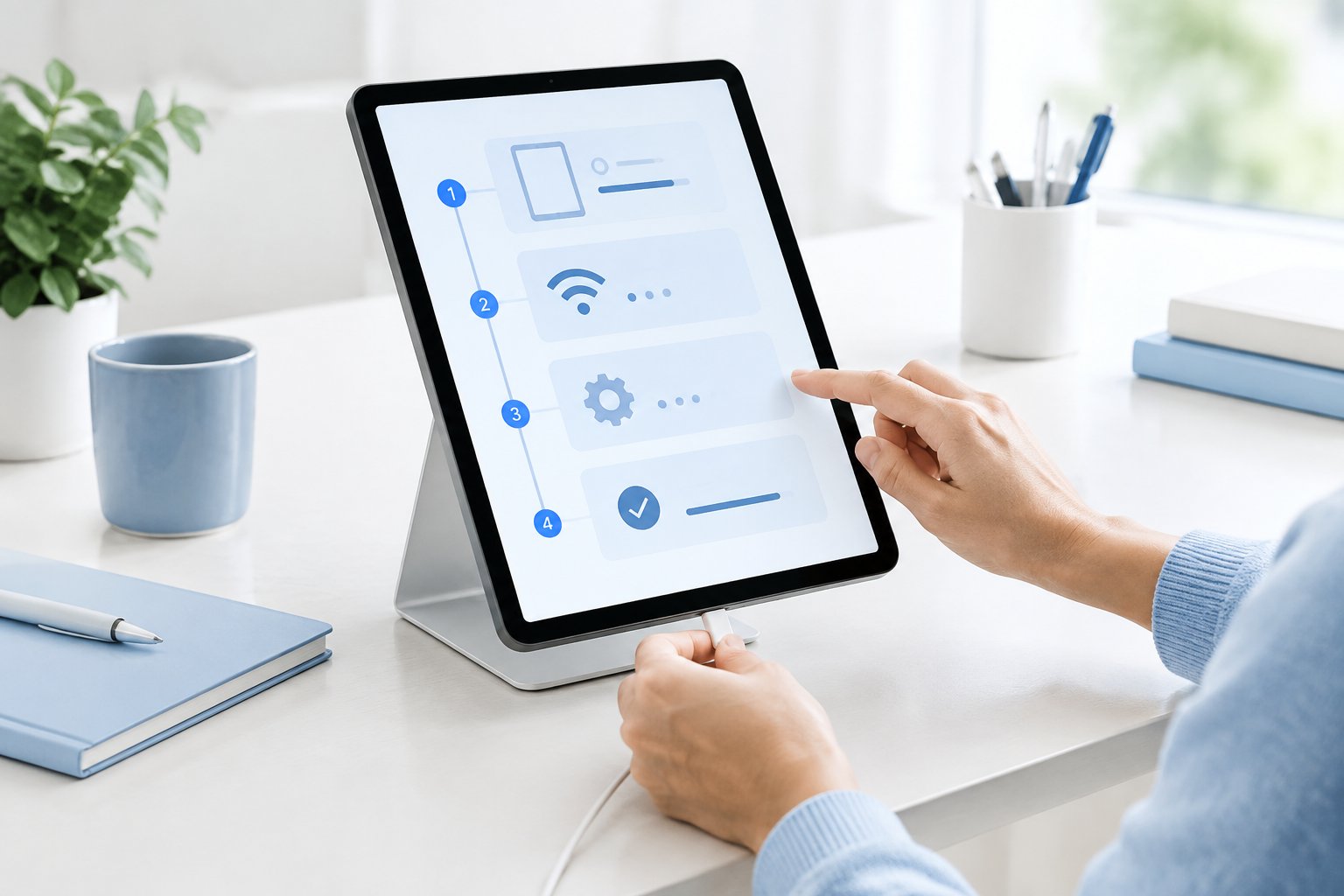
Users should install the official iPad application through the operator’s verified instructions, review any required trust settings, and avoid unofficial download links or unknown configuration profiles. This guide explains how to prepare the iPad, sign in, adjust settings, test games and payments, and fix common access problems.
It also covers account protection, payment safety, software updates, and what to do if the app stops working. These checks help users spot unsupported devices, installation errors, and security risks before using the service.
Compatibility And Account Requirements

An iPad needs a supported iPadOS version, a compatible installation method, and a valid account with the service provider. Availability may depend on Apple’s security controls, the provider’s current distribution method, and local gambling regulations.
Supported iPad Models
The service should run only on iPads that meet the provider’s current iPadOS requirements. Users should check the provider’s official compatibility information before installing because the supplied results do not identify a verified minimum iPad model or iPadOS version.
Compatibility can vary by installation method. An App Store version, a web-based platform, and an enterprise-signed application may support different devices. Older iPads may also lack required browser features or security updates. The Settings > General > Software Update screen shows the installed iPadOS version and available updates.
Users should avoid unofficial configuration profiles, modified applications, and download files from unverified websites. Apple may block revoked certificates, while third-party files can expose account credentials or payment information.
Apple ID And Regional Availability
An Apple ID does not automatically confirm that the service operates in a user’s country or region. The search results describe Pussy888 as an offshore gambling service used mainly in Malaysia and Singapore, so users need to verify regional legality and access conditions separately.
If the platform offers an official App Store listing, that listing must appear in the Apple ID’s current App Store region. Changing regions can affect subscriptions, payment methods, and existing purchases. Users shouldn’t change region settings solely to obtain an app.
Some services instead provide browser access or an enterprise profile. Users should install only a profile obtained from a verified operator and review Settings > General > VPN & Device Management before trusting it. The account registration process may request a name, email address, and phone number. Users should provide accurate information and avoid sharing passwords or one-time codes.
Internet Connection Standards
A stable internet connection supports login, game loading, and transaction requests. Wi-Fi with consistent coverage usually works better than a weak mobile hotspot, while an up-to-date Safari browser helps maintain compatibility with web-based platforms.
Users should avoid public Wi-Fi when entering passwords or payment details. They should check that the address begins with https://, confirm the domain carefully, and avoid links received through unsolicited messages.
Connection interruptions can leave a transaction or session incomplete. Users shouldn’t submit a deposit or withdrawal request repeatedly after a timeout. Instead, they should check the account history and contact the operator through its verified support channel. A VPN may also trigger security checks or regional restrictions, so users should review the operator’s terms before using one.
Preparing Your iPad
Before using Pussy888 on an iPad, the device should run current software, have enough free storage, and use Safari settings that support secure, reliable browsing. The user should also confirm a stable internet connection and avoid installing profiles, certificates, or apps from untrusted sources.
Updating iPadOS
The user should open Settings > General > Software Update and install any available iPadOS update. Updates can improve browser compatibility, fix security issues, and resolve problems affecting websites or web apps.
The iPad should connect to Wi-Fi and have sufficient battery power, preferably at least 50%, before updating. If storage is limited, the user can review large apps and downloaded files under Settings > General > iPad Storage.
After the update finishes, the user should restart Safari before opening the website. Apple’s Automatic Updates option can remain enabled so the iPad receives future updates without frequent manual checks.
Reviewing Storage Space
The user should check Settings > General > iPad Storage and review the available space. Safari needs room for temporary files, while low storage can interfere with page loading, downloads, and general device performance.
The storage screen identifies the apps, photos, videos, and other files using the most space. The user can remove unused apps, delete old downloads, or move media to another storage location. iPadOS may also offer recommendations, such as offloading unused apps.
The user should avoid deleting files needed for account access or security verification. Clearing Safari data can remove saved website information, so important passwords should remain stored in iCloud Keychain or another trusted password manager.
Adjusting Safari Settings
The user should open Settings > Apps > Safari on newer iPadOS versions, or Settings > Safari on some earlier versions. Prevent Cross-Site Tracking and Fraudulent Website Warning should stay enabled because they improve privacy and help identify suspicious pages.
Safari’s Block Pop-ups setting can affect websites that open sign-in windows or payment pages. If a legitimate page fails to open, the user can review this setting temporarily. Still, pop-ups shouldn’t be allowed broadly or used to bypass security warnings.
The user should keep JavaScript enabled under Safari’s advanced settings because many interactive websites require it. They should also avoid clearing history and website data unless necessary, since doing so can sign them out and remove saved preferences.
Obtaining the Official Application
An iPad user should verify the provider’s identity, check the installation method, and avoid files from unknown distributors. If no App Store listing exists, web-based access may be safer than installing an unverified configuration profile.
Finding Verified Sources
The user should begin with the casino operator’s primary website rather than a search advertisement, social-media post, or download mirror. The site should use HTTPS, display consistent branding, and provide clearly labeled support and account information. Search results may mention an “official” portal, but users need to verify those claims independently.
Before downloading anything, the user should check whether the application appears in Apple’s App Store under the operator’s verified developer name. The App Store listing provides version details, update history, age rating, privacy information, and user reviews. If the operator supplies a direct iPad installation link instead, the user should confirm the URL through the operator’s support channel and review the requested permissions.
Avoiding Unofficial Downloads
The user should not install an IPA file, modified application, or configuration profile from an unknown website. These files can contain malicious code, redirect login details, or request device access unrelated to casino functions. A page promising unlimited credits, altered odds, or an urgent “security update” should raise suspicion.
The iPad user should avoid disabling security controls or following instructions that require a jailbreak. Apple’s normal installation process does not require entering an Apple ID password on a third-party page. The user should also inspect the domain carefully, avoid shortened links, and review the provider’s terms, privacy policy, licensing information, and responsible-gambling tools before creating an account.
Understanding Web-Based Access
Some operators do not publish a native iPad application and instead provide a browser-based platform. The user can open the verified website in Safari, sign in through the normal account page, and check whether the site offers an Add to Home Screen option. This creates a shortcut, but it doesn’t install a separate iPad application.
Browser access avoids unknown installation packages, yet it still requires careful verification. The user should type the confirmed address manually, check the padlock and domain, enable two-factor authentication if available, and avoid saving credentials on shared devices. Before depositing funds, the platform should also state its licensing jurisdiction, age restrictions, withdrawal terms, and customer-support contact details.
Installing And Trusting The App
An iPad may require a valid installation link, an approved developer certificate, and a manual trust step when an app comes from outside the App Store. Users should verify the source, avoid unknown configuration profiles, and check the certificate status before entering account or payment details.
Completing The Installation Process
The user should download the iPad version only from the service’s verified, official channel. Before installing, they should confirm that the address uses HTTPS, matches the expected provider, and doesn’t request unnecessary access to photos, contacts, messages, or device administration.
If an installation prompt appears, the user can follow the onscreen instructions. iPadOS may block the package if the certificate has expired, Apple has revoked it, or the app doesn’t support the device’s iPadOS version. The user shouldn’t disable security protections or install a replacement package from an unrelated website.
After installation, the user should open Settings > General > VPN & Device Management. If iPadOS lists the developer, the user can select the profile, review its identity, and choose Trust only when the source is known and legitimate.
Managing Device Management Profiles
A profile can give its issuer control over app installation or other device settings. The user should read the displayed organization name and inspect the profile before trusting it. A profile that uses an unfamiliar company name, requests broad management rights, or appears unrelated to the app shouldn’t be approved.
The user can remove an unwanted profile through Settings > General > VPN & Device Management by selecting it and choosing Remove Management or Delete Profile, if available. Removing a profile may also remove apps or settings associated with it.
The user should avoid profiles that ask for an Apple ID password, payment information, or unrelated permissions. Apple’s official installation guidance should take priority over instructions that require disabling security controls.
Resolving Trust Verification Errors
A trust error commonly results from an expired or revoked enterprise certificate, an incomplete installation, an incorrect device date, or a network connection that prevents verification. The user should first connect to a stable network, set Settings > General > Date & Time to automatic, close the app, and restart the iPad.
If the developer doesn’t appear under VPN & Device Management, the installation may not have completed. The user should delete the app, obtain a current package from the verified source, and reinstall it instead of searching for an unofficial certificate.
When iPadOS reports that the developer can’t be verified, the user shouldn’t bypass the warning blindly. An expired certificate requires the provider to issue a valid replacement; changing settings on the iPad can’t restore a revoked certificate.
Signing In And Configuring Settings
The iPad setup should use the official account page or app, a secure network, and accurate notification settings. Users should verify the correct account before entering credentials and protect access with the iPad’s built-in security tools.
Creating Or Accessing An Account
The user should open the official PUSSY888 website or app through Safari or the App Store, if an official app is available. They should check the web address carefully and avoid unofficial downloads, pop-ups, or pages that request unnecessary personal information.
Existing users can enter their registered credentials and complete any identity verification requested by the service. New users should select the registration option, provide only the required details, and create a unique password they don’t reuse elsewhere.
They should store login details in iCloud Keychain or another trusted password manager instead of saving them in notes or messages. If the service offers account recovery, the user should confirm the recovery email or phone number and keep those details current.
Setting Language And Notification Preferences
The iPad uses the selected language and region during initial setup, but the user can change them later under Settings > General > Language & Region. The selected region can affect date formats, currency displays, and other local settings.
Within the service account, the user should review available language options and choose the preferred interface language. If no language setting exists, Safari and iPadOS may display the site according to the device or browser configuration.
Notifications should remain limited to useful account alerts. Under Settings > Notifications, the user can select the service, enable or disable Allow Notifications, and adjust banners, sounds, badges, and delivery timing. Promotional alerts should be disabled when they aren’t needed.
Enabling Security Features
The user should create a strong iPad passcode under Settings > Face ID & Passcode or Settings > Touch ID & Passcode, depending on the model. A longer numeric or alphanumeric passcode provides stronger protection than a short, predictable code.
Face ID or Touch ID can speed up access while keeping the passcode private. The user should enable Find My iPad under Settings > [name] > Find My > Find My iPad, then turn on Find My network and Send Last Location when available.
The user should keep iPadOS, Safari, and the relevant app updated. They should avoid entering credentials on public or untrusted Wi-Fi, never share one-time verification codes, and sign out from shared devices after use.
Testing Games And Payments
An iPad setup should be tested with a low-risk game session, verified payment details, and a clear understanding of the platform’s withdrawal rules. Players should confirm compatibility, transaction limits, processing times, fees, and identity requirements before depositing significant funds.
Checking Game Performance
The player should open several game types, such as slots, table games, or fishing games, and check whether each one loads correctly in Safari or the installed app. The iPad should run the latest supported iPadOS version, and the player should use a stable Wi-Fi connection to reduce loading errors.
They should check screen scaling, touch controls, sound, animation quality, and whether the game returns to the correct session after the iPad locks. A short test session can reveal crashes, delayed responses, or excessive battery and data use.
The player should avoid downloading unverified configuration profiles or modified applications. Apple’s TestFlight service applies only when the operator provides a legitimate invitation; a casino website’s claim of being “official” doesn’t independently verify licensing, fairness, or security.
Reviewing Deposit Methods
Before making a deposit, the player should open the cashier and record the available methods, minimum amounts, maximum limits, supported currencies, and any stated fees. Common methods may include bank transfers, cards, and approved e-wallets, but availability depends on the operator and the player’s location.
The payment account should use the player’s legal name and match the identity details registered with the casino. The player should confirm whether the method supports refunds or withdrawals, since some providers accept deposits but don’t process withdrawals.
They should begin with the smallest permitted amount and review the confirmation screen before approving payment. The player should keep the receipt, transaction reference, date, and amount. They shouldn’t share one-time passwords, card security codes, or account passwords with support staff or other users.
Confirming Withdrawal Procedures
The player should read the withdrawal page before depositing. They should check the minimum withdrawal, daily limits, processing stages, expected timeframes, fees, and identity checks. Any wagering requirement attached to bonuses should appear in the promotion’s terms, including the qualifying games and expiry date.
The registered name should match the bank or e-wallet account used for withdrawal. The operator may request identity documents, proof of address, or evidence of payment ownership before releasing funds. The player should submit documents only through the verified account portal.
They should test the procedure with a modest amount when permitted and save screenshots of the request and status updates. If a withdrawal remains pending beyond the published timeframe, the player should contact official support through the account’s listed channels. They should never pay an extra “release” fee.
Troubleshooting Common iPad Issues
An iPad may block installation, reject valid login details, or lose connection during play. Checking compatibility, using the correct account information, and stabilizing the network can resolve most setup problems for Pussy888.
Fixing Installation Failures
The user should confirm that the iPad runs a supported version of iPadOS and has enough free storage. They should download the official Pussy888 app or use the service’s verified web access link rather than an unfamiliar third-party file. If the App Store lists no app, the service may require Safari access instead of a direct installation.
If installation stops, the user should check Settings > General > iPad Storage, remove unnecessary files, and restart the iPad. A stable Wi-Fi connection also helps prevent incomplete downloads.
If iPadOS blocks the installation, the user shouldn’t change security settings to install an unverified profile. Instead, they should contact the platform’s official support team.
Addressing Login Problems
The user should enter the registered username, password, and any required verification code exactly as provided. They should check whether Caps Lock, saved autofill data, or an extra space is causing the credentials to fail. If the password no longer works, they should use the official password-reset option instead of repeatedly submitting incorrect details.
A locked account may require email or phone verification before access returns. The user should also confirm that the account region and selected login method match the original registration details.
If Safari keeps rejecting the session, clearing only the site data through Settings > Safari > Advanced > Website Data can help. This may sign the user out of other websites, though.
Improving Connection Stability
The user should test the iPad near the router and confirm that other websites load normally. Restarting the router, reconnecting to Wi-Fi through Settings > Wi-Fi, and disabling a weak or unstable VPN connection can improve access.
If the network uses mobile data, the user should check Settings > Cellular Data and confirm that Safari or the relevant app has permission to use it. When pages load slowly, closing unused browser tabs and restarting the iPad can reduce temporary performance problems.
Public Wi-Fi may block gaming or account services, so a trusted private network provides a better test. If the issue affects only Pussy888 while other sites work, the user should check the platform’s official service status or contact its support team.
Maintaining Account Safety
An iPad user should protect login details, verify links before entering information, and set clear limits for deposits and play. Official app sources, unique passwords, two-factor authentication where available, and regular account checks reduce avoidable security risks.
Using Strong Credentials
The user should create a unique password for the Pussy888 account and avoid reusing it for email, banking, or Apple services. A long password that combines unrelated words, numbers, and symbols provides stronger protection than a short, predictable phrase. A password manager can generate and store it securely.
The user should keep the registered email account protected with its own unique password and two-factor authentication. They should never share passwords, one-time codes, recovery codes, or payment details through chat messages or informal support channels.
On an iPad, the user should enable a device passcode and keep iPadOS updated. They should review saved passwords in Settings > Passwords, remove unfamiliar entries, and sign out from shared devices after each session.
Recognizing Phishing Attempts
Phishing messages may imitate the platform, payment providers, or customer support. They often claim that an account needs urgent verification, a withdrawal requires an extra payment, or a bonus will expire immediately.
The user should treat unexpected requests for passwords, one-time codes, identity documents, or card details as suspicious. They should check the full website address before signing in. Misspellings, unusual domains, shortened links, intrusive pop-ups, and requests to install unknown configuration profiles can indicate a potential risk.
Search-result pages and unofficial download portals don’t verify that an app or link is legitimate. The user should open the service through a previously verified bookmark or its confirmed official channel instead of tapping links in messages.
If a suspicious message arrives, they should avoid replying, preserve relevant evidence, and contact support through an independently verified contact method.
Applying Responsible Gaming Controls
Set a fixed spending limit before playing, and use only money you can lose without affecting essential expenses. If the platform offers them, enable deposit limits, session reminders, cooling-off periods, or self-exclusion tools. Keep payment methods private, too, and don’t share them with another account holder.
Monitor bank and payment-app notifications for unfamiliar transactions. Review your account history regularly, remove unused payment methods when possible, and promptly report unauthorized activity to both the platform and your financial provider.
If you find play difficult to control, stop depositing and activate any available blocking or exclusion features. Seek help from a qualified gambling-support service, and check the legal requirements in your location before using real-money gaming services.
Our guide to Pussy888 iOS Profile Not Installing: Install Guide covers the next step.